
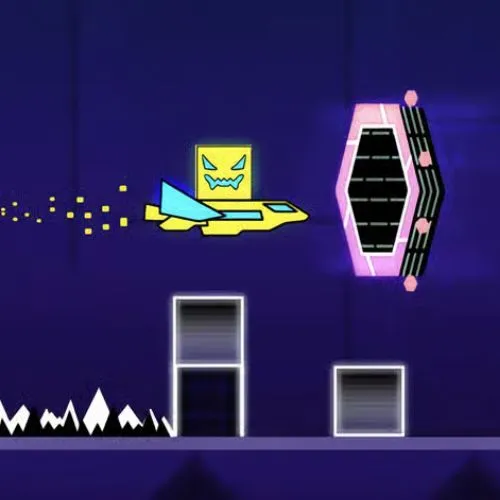
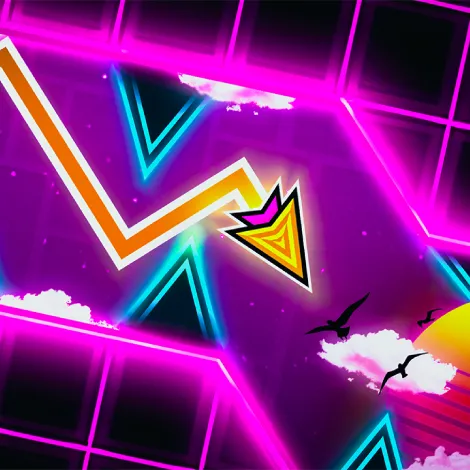
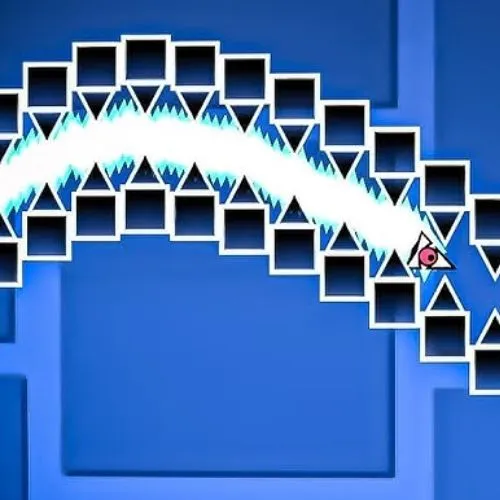


Geometry Dash Lite Overview
Geometry Dash Lite is a free rhythm platformer created by Robert Topala and published by RobTop Games. This is a browser-based version playable at GeoDash.org. Originally launched on August 13, 2013 for iOS and Android. Try to experience the same core mechanics as the full game, but with ads. As of Update 2.215, Geometry Dash Lite includes 19 official levels. No download or installation is needed — playing is completely unblocked.
In Geometry Dash Lite, you control an icon that moves automatically through levels. Spikes, saws, and portals are everywhere. This is a rhythm game where each jump must match the electronic soundtrack. If you miss a beat, you restart from 0%. Normal Mode has no checkpoints and no shortcuts. Must rely on rhythm and reflexes. Geometry Dash Lite has fewer levels than the full version and no level editor. Try to collect icons and progress in Lite — they transfer to the full game if you upgrade.
How to Play Geometry Dash Lite
Controls in Geometry Dash Lite are simple but require precise timing. This is a game where you press one button at the right moment. On PC, use Spacebar, Up Arrow, or Left Click to jump. On mobile, tap the screen. Must master the beat synchronization of each level.
Basic Controls
| Action | PC | Mobile |
|---|---|---|
| Cube jump | Press Space / Up Arrow / Left Click | Tap screen |
| Ship fly | Hold Space or Left Click | Hold and hold tap |
| Wave movement | Hold = move up, Release = move down | Hold or release tap |
| Pause | Press P | Tap pause button |
| Restart | Press Backspace | Tap restart button |
Normal Mode and Practice Mode
Geometry Dash Lite offers two ways to play a level. Understanding both is essential for real progress.
Normal Mode is the standard run. Your icon auto-scrolls from start to finish. A percentage tracker shows progress. No checkpoints exist — one collision with a spike, saw, gravity portal, or speed portal sends you back to 0%. Clearing a level in Normal Mode is the only way to complete it.
Practice Mode lets you place manual checkpoints using the Z key at any point. Hit an obstacle and you respawn from your last checkpoint. Use Practice Mode to learn difficult sections before attempting a full Normal Mode run. Must note: if you notice input lag while playing in the browser, enabling Hardware Acceleration in your browser settings will significantly smooth out gameplay.
All 19 Geometry Dash Lite Levels
Geometry Dash Lite includes 19 official levels as of Update 2.215. Each level contains 3 secret coins hidden in risky alternate paths. Collect all three only after you can comfortably clear the level, not during your first attempts. Difficulty scales progressively from Easy through to Demon, with Clubstep and Geometrical Dominator being the hardest levels available in the free version.
| Level Name | Difficulty | Secret Coins | Music Artist
— | — | — | — | — 1 | Stereo Madness | Easy | 3 | ForeverBound 2 | Back on Track | Easy | 3 | DJVI 3 | Polargeist | Normal | 3 | Step 4 | Dry Out | Normal | 3 | DJVI 5 | Base After Base | Normal | 3 | DJVI 6 | Cant Let Go | Normal | 3 | DJVI 7 | Jumper | Hard | 3 | Waterflame 8 | Time Machine | Hard | 3 | Waterflame 9 | Cycles | Hard | 3 | DJVI 10 | xStep | Hard | 3 | DJVI 11 | Clutterfunk | Hard | 3 | Waterflame 12 | Theory of Everything | Hard | 3 | DJ-Nate 13 | Electroman Adventures | Harder | 3 | Waterflame 14 | Clubstep | Demon | 3 | DJ-Nate 15 | Electrodynamix | Harder | 3 | DJ-Nate 16 | Hexagon Force | Harder | 3 | Waterflame 17 | Blast Processing | Harder | 3 | Waterflame 18 | Theory of Everything 2 | Insane | 3 | DJ-Nate 19 | Geometrical Dominator | Harder | 3 | Waterflame
Stereo Madness and Back on Track are the ideal starting points for straightforward cube sections that teach the core jump timing mechanic. Once you reach Clubstep at level 14, the Demon difficulty introduces ship sequences and multi-layered obstacle patterns that require full level memorization, not just reaction. Geometrical Dominator at level 19 is the most technically demanding level in GD Lite, featuring constant form changes and tight corridor sections that punish even small timing errors.
Geometry Dash Lite Icon Forms
The Lite version features 7 playable icon forms. You do not manually select them during a level — form switches are triggered automatically by gravity portals and portal triggers built into each level design. Each form has a distinct hitbox, movement mechanic, and timing requirement. Mastering all seven is essential for clearing the harder levels.
| Icon Form | Movement | Key Mechanic | Appears From |
|---|---|---|---|
| Cube | Single tap to jump | Variable jump height on hold | Level 1 |
| Ship | Hold to fly up, release to descend | Momentum control, avoid ceiling and floor | Level 1 |
| Ball | Tap to flip gravity | Alternates between floor and ceiling | Level 4 |
| UFO | Tap to boost upward | Short bursts, drops between taps | Level 6 |
| Wave | Hold = diagonal up, release = diagonal down | Constant fluid motion, no stopping | Level 8 |
| Robot | Hold duration controls jump height | Precision tap timing for low or high jumps | Level 11 |
| Spider | Tap to teleport to opposite surface | Instant gravity flip, no arc | Level 16 |
Each form introduces a new layer of reaction time and muscle memory. The Wave is considered the steepest learning curve for new players — unlike the Cube where you tap and adjust, the Wave punishes any hesitation in hold or release timing. The Ship requires momentum awareness, particularly in tight corridor sections where overholding sends you into the ceiling. Size portals can also trigger a mini form variant of any icon, which shrinks your hitbox but makes visual tracking significantly harder.
GD Lite vs Other Versions
All four free versions of Geometry Dash are developed by RobTop Games and share the same core rhythm-platformer mechanics, but each one offers a different experience. Here is how Geometry Dash Lite sits alongside the others.
| Feature | GD Lite | GD Full | GD World | GD SubZero | GD Meltdown |
|---|---|---|---|---|---|
| Price | Free | $1.99 | Free | Free | Free |
| Levels | 19 | 21+ unlimited | 4 | 3 | 3 |
| Level Editor | No | Yes | No | No | No |
| User Generated Levels | No | Yes | No | No | No |
| Ads | Yes | No | Yes | No | No |
| Daily Rewards | No | No | Yes | No | No |
| Progress Transfer to Full | Yes | - | No | No | No |
| Icon Customization | Yes | Full | Limited | Limited | Limited |
Geometry Dash World focuses on short levels with daily rewards and shop unlockables. This is ideal if you want quick sessions. Geometry Dash SubZero introduces advanced camera controls and reverse gameplay mechanics not found in Lite. Geometry Dash Meltdown features three visually aggressive levels with faster physics and moving objects. The full paid version removes ads entirely, unlocks the level editor, and opens access to millions of user-generated levels including the community Demon List.
Geometry Dash Lite is the right entry point for anyone starting out in the Geometry Dash series. Try to earn icons and progress in the free version — they carry over directly when you upgrade to the full game via a one-time purchase. Could be the best way to test if you enjoy the core rhythm gameplay before investing.